
Posting Your Daily Classroom Schedule: A Simple Step for Predictability and Better Transitions
Preschool schedules can use visuals at child eye level. An older class may only need a clear text agenda for the current period.
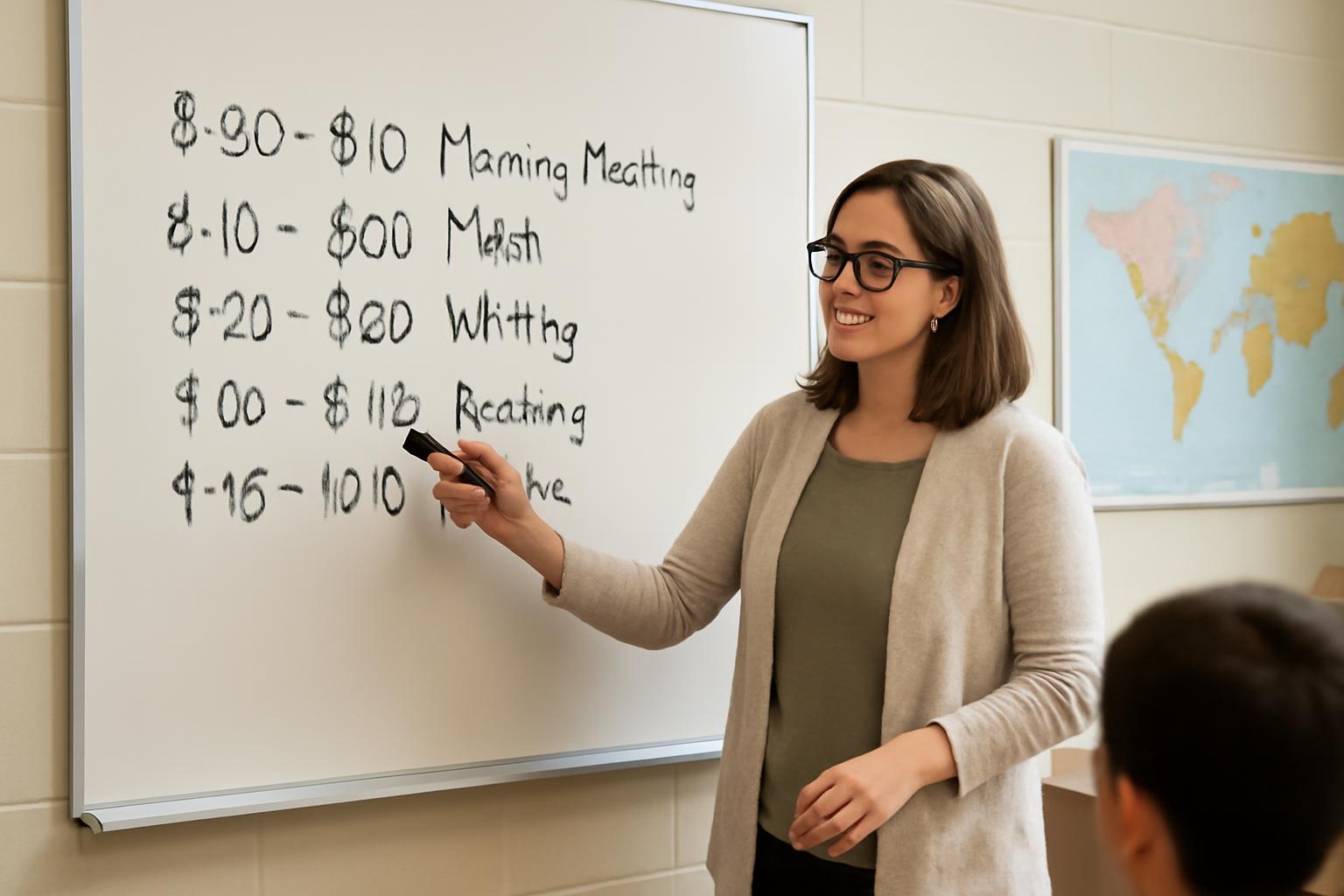
If you are wondering whether you should post your daily schedule when teaching, the practical answer is usually yes.
A visible classroom schedule is one of the simplest ways to make the day feel more predictable for students and more manageable for teachers. It helps students know what is happening now, what comes next, and how to move through the day with less confusion. In the guidance available on this topic, that kind of predictability is consistently linked with smoother transitions, clearer expectations, and a calmer classroom flow.
The important part, though, is not the poster by itself. A schedule works best when it is taught, reviewed, kept accurate, updated when plans change, and designed for the students in front of you. A preschool visual schedule at child eye level will not look like an elementary whiteboard agenda, and an older class may only need a clear text agenda for the current period. The principle is the same: make the day visible.
Source note: The guidance below is drawn from Head Start’s routines-and-schedules article, classroom coaching resources from Classroom Check-Up and Double Check, childcare guidance from ChildCareEd, distance-learning guidance from Albert, and a teacher blog example from Mrs. Beattie’s Classroom. The strongest direct support in this source set is for early-childhood and elementary practice. For older students, some suggestions below are practical adaptations of that guidance rather than heavily studied rules.
Why Post a Daily Schedule: Key Benefits for Students and Teachers
The main reason to post a daily schedule is that predictability changes how a classroom feels.
Head Start’s guidance on schedules and routines says predictable daily activities help children feel in control of their environment, feel safe and secure, know what is happening now and next, and engage in learning. Classroom Check-Up and Double Check make a similar point in classroom-management terms: when students can see and learn the schedule, the room becomes more structured and transitions can run more smoothly.
That does not mean a posted schedule is a magic fix. The support here is mostly practice guidance, not hard causal proof. But across the sources, the same pattern appears: visible, consistent schedules are widely recommended because they reduce unnecessary uncertainty.
Predictability helps students feel secure. Head Start describes consistent schedules and step-by-step routines as a way to help children feel confident, safe, and comfortable. ChildCareEd similarly says predictable routines help young children feel secure and support social-emotional development. In practical classroom terms, a posted schedule answers three questions students often carry all day:
- What are we doing now?
- What comes next?
- How will this part of the day move forward?
For younger children especially, that matters. But the same logic often applies in older classrooms too: when students do not have to keep guessing about the structure, they can settle in more quickly.
Clear expectations can lower confusion and reduce avoidable stress. A posted schedule also makes expectations more visible. Instead of repeatedly explaining what comes after this activity, a teacher can point to the board or wall display. Mrs. Beattie’s Classroom, a teacher blog, frames one benefit this way: when students see the agenda, they know what materials to prepare and what kind of work is expected next.
Some practitioner sources go further and suggest predictable schedules can reduce behavior problems. Head Start cites guidance from Hemmeter, Ostrosky, and Fox that engaging, predictable environments and clear routines help prevent challenging behaviors in early-childhood settings. That is a reasonable claim in those contexts. It is better, though, not to overstate it across all grades. Posting a schedule is a support for clarity and regulation, not a guarantee that behavior concerns disappear.
Better transitions can protect instructional time. This is one of the strongest practical arguments for posting a schedule. Double Check explicitly says that providing a visual for expected routines can help minimize transition time between activities and therefore lead to more time for instruction. Classroom Check-Up also links posted schedules with smoother transitions.
The everyday classroom logic is straightforward. If students already know that center time is followed by snack, or that the mini-lesson is followed by partner work, the teacher does not have to rebuild the whole day verbally every time the class shifts. That can cut down on repeated questions, pauses, and drift during the in-between moments.
It is smart to be modest about outcomes here. The sources do not give hard numbers on time saved. But the mechanism is believable and consistently recommended: when the next step is visible, transitions can become shorter and calmer.
Engagement often improves because students can prepare. Mrs. Beattie’s Classroom argues that students are more engaged when they can see what is coming next, because they are better able to get materials ready and shift attention more quickly. That is an anecdotal teacher observation, not a universal research finding, but it matches normal classroom experience.
A visible schedule can help students prepare in simple ways:
- pulling out the right materials sooner
- mentally shifting to the next subject
- understanding whether a transition is short or substantial
- checking the plan without always needing to ask
In that sense, the schedule supports participation by reducing uncertainty.
Students with exceptionalities may benefit especially from visible routines. This is an area where caution matters. It would be too broad to say one posted schedule helps all students with disabilities in the same way. Still, the sources do support the general idea that visible routines can be especially useful for students who benefit from lower uncertainty and stronger visual structure.
Mrs. Beattie’s Classroom describes a student with autism who checked the agenda often throughout the day. ChildCareEd emphasizes that visual schedules can reduce anxiety and encourage independence for young children. Head Start likewise recommends reviewing schedules with children and giving advance warning when things will be different.
The safest way to put this is: a class schedule can be a meaningful scaffold, but some students may also need more support, such as:
- an individual schedule in addition to the class display
- more concrete pictures or photos
- first-then language
- extra transition cues
- more direct teaching on how to use the schedule
The biggest benefit may be trust in the day’s structure. When the schedule is posted and actually followed, students learn that the classroom has a dependable rhythm. When it changes and the teacher updates it honestly, students learn something just as important: even change is handled in a predictable way.
That kind of consistency can build confidence in the classroom environment. Students do not have to wonder whether the day is organized. They can see that it is.
The Six Elements of an Effective Posted Schedule
If you want a simple framework, two classroom coaching resources—Classroom Check-Up and Double Check—outline six common elements of an effective posted schedule. It is useful guidance, but it should be read as coaching advice rather than as a research-backed law of classroom management.
Here is that framework, translated into practical terms.
1. Teach and review the schedule with students. A schedule does not help much if students have never been taught how to use it.
Both coaching resources say the schedule should be taught and reviewed with students, often at the start of the day. That means explaining what each part means, showing where to look, and building the habit of checking it. In Head Start’s guidance, reviewing the schedule every morning and throughout the day helps children know what is going to happen next.
A simple routine is enough:
- Read the schedule together.
- Briefly point out anything unusual.
- Refer back to it before major transitions.
- Update it if the plan changes.
If students do not know how to read the schedule, it becomes decoration.
2. Post it where students can easily see it. Visibility is basic but essential. Classroom Check-Up and Double Check both say the schedule should be posted where students can easily view it. ChildCareEd adds an especially important detail for young children: put it at child eye level.
That means thinking about:
- line of sight from regular student spaces
- font size and spacing
- contrast with the background
- how easy it is for you to point to during teaching
A schedule hidden behind a desk or lost in visual clutter is not doing much work.
3. Make it developmentally appropriate. The coaching resources say the schedule should match students’ developmental level. For younger children and non-readers, that usually means words plus visuals. ChildCareEd recommends simple pictures or photos. Head Start also emphasizes visuals as a way to remind children of routines.
Developmentally appropriate also means deciding how much detail to include. In early-childhood settings, flexible blocks usually work better than minute-by-minute timing. ChildCareEd says the order of the day matters more than exact minutes for young children.
So “Arrival, Group Time, Centers, Snack, Outdoor Play” is often more useful in preschool than a tightly timed list like “8:05–8:17, 8:17–8:41.”
4. Keep it accurate. An inaccurate schedule stops being trustworthy.
Both coaching resources include accuracy as a core element: the posted schedule should reflect the day’s actual plan. If the board says math is next but the class is suddenly doing science, students quickly learn not to rely on the display.
If your day changes often, the answer is not to stop posting the schedule. It is to choose a format you can realistically maintain:
- broader blocks instead of over-detailed timing
- movable cards
- dry-erase writing
- simple text that can be updated fast
The more editable the format, the more likely it stays accurate.
5. Announce changes in advance when possible. Real classrooms change. Head Start tells adults to stay flexible but give children a warning ahead of time if things will be different. Classroom Check-Up and Double Check say schedule changes should be discussed in advance when possible, ideally at the start of the day or well before the change.
This matters because many students can handle change better when the change is visible and named. Often the hardest part is not the change itself but the surprise.
If you know about an assembly, shortened schedule, or guest visit early enough, say so. Then update the display so the visual still matches reality.
6. Plan for substantial instructional time with balance. The two coaching resources include “about 80% of the day” for instructional activities as part of their framework. This is best treated as a rough planning heuristic from coaching materials, not as a universal evidence-based standard for every grade, subject, or program.
The more useful takeaway is this: design the day intentionally so avoidable downtime does not take over.
A balanced schedule usually includes a mix of:
- teacher-directed instruction
- independent work
- partner or group activities
- transitions and care routines
- movement, rest, or play when developmentally appropriate
A strong schedule is not packed wall-to-wall with one mode of learning. It has structure, but it also has balance.
How to Design and Post Your Schedule by Grade Level
The right format depends heavily on age and context. The strongest guidance in the source set is for early-childhood settings, where visual schedules are directly recommended. For elementary and older students, some of the suggestions below are practical extensions of the same principles: visibility, clarity, consistency, and easy review.
Preschool and early childhood: make the day visible, concrete, and calm. For preschool, pre-K, and childcare settings, the guidance is clear. Head Start and ChildCareEd both support predictable schedules and visuals. ChildCareEd specifically recommends posting the schedule at child eye level, using simple pictures or photos, and reviewing it each morning.
Why that works in early childhood:
- many children are not yet independent readers
- visuals make the sequence easier to understand
- predictable routines can reduce anxiety
- the schedule becomes a teaching tool during transitions
ChildCareEd also advises flexible time blocks rather than strict clock times. A schedule like this matches the guidance well:
- Arrival and welcome
- Morning group time
- Choice time or centers
- Snack or meal time
- Outdoor or gross motor play
- Rest or quiet time
- Afternoon small groups and cleanup
- Departure
Helpful design choices at this age include:
- real photos or simple icons
- one clear image per activity
- a vertical strip or pocket chart
- removable cards that show what is finished and what is next
In short: for young children, concrete sequence matters more than precision.
Elementary: combine words, visuals, and routine discussion. Elementary classrooms often sit in the middle. Many students can read simple labels, but visual support still helps. A hybrid format usually works well: words plus icons, or a written list paired with a few consistent symbols.
A simple elementary schedule might look like:
- Morning Meeting
- Reading
- Recess
- Math
- Science
- Specials
- Writing
- Pack Up
This format reflects a mix of advice from the evidence pack. The coaching resources support visible, developmentally appropriate schedules. ChildCareEd and Head Start support regular review and visual reminders. Elementary teacher guidance also points to morning meeting as a useful time to discuss the day’s flow.
At this level, practical tools often matter more than fancy design. Common low-effort formats include:
- a whiteboard agenda section
- laminated cards
- magnetic labels
- a pocket chart
A brief preview during morning meeting or the start of the day helps the schedule become part of the class routine:
- name the main blocks
- note any special event or change
- remind students where to look later
That last step matters. A schedule is most helpful when students are expected to use it, not just glance at it once.
Upper elementary and older students: use clearer text and only as much detail as helps. The evidence in the source set is thinner for older students, so this section is best read as practitioner-informed adaptation rather than strongly studied guidance.
The underlying principle still holds: students benefit when the learning plan for the class they are in is visible. For stronger readers, that usually means a more text-based agenda and less reliance on large pictures.
What older students may need is not a picture for every subject, but a clear sequence within a block. For example:
- Bell work
- Mini-lesson
- Group practice
- Independent work
- Exit ticket
If you teach one class for most of the day, a board agenda may be enough. If you teach multiple groups, a per-period agenda is often the more realistic version of “posting the schedule.” That is still consistent with the core advice from the coaching resources: make the current plan visible, accurate, and easy to review.
In these settings, simplicity usually wins:
- a whiteboard section labeled “Today”
- a projected agenda at the start of class plus a board version that remains visible
- reusable labels for recurring routines
The standard should be usability, not decoration.
Special cases: flexible rooms, shared spaces, and support settings. Not every teacher has a permanent wall display. Specialists, interventionists, co-teachers, and teachers who move between rooms may need portable versions.
Practical options include:
- a mini whiteboard
- a flip chart
- laminated cards on a ring
- a small easel
- a consistent digital slide shown at the start of the session
These are practical adaptations rather than explicitly researched best practices in the source set, but they follow the same core rule: students should be able to see the plan for the time they are with you.
In support settings, it may also make sense to use both a whole-group schedule and an individual schedule. The class display provides shared predictability; the individual version provides more personalized support.
A simple rule for every grade. Use the least complicated format that students will actually understand and reference.
In practice, that usually means:
- more visuals for younger students
- more text for older readers
- more sequence than exact timing in early childhood
- more detail only when the detail is helpful
- more emphasis on daily use than on design perfection
Daily Routines: Teaching, Reviewing, and Referencing the Schedule
Posting the schedule is the first step. Using it throughout the day is what gives it value.
Across Head Start, the classroom coaching resources, and ChildCareEd, one routine comes up again and again: review the schedule at the start of the day and return to it during transitions. That repeated use is what turns a schedule from wall art into part of classroom structure.
Start by reviewing the schedule. Head Start tells adults that reviewing the schedule every morning and throughout the day helps children know what is going to happen next. Classroom Check-Up and Double Check similarly recommend teaching and reviewing the schedule, often daily at the start.
This preview does not have to be long. A brief orientation is enough:
- what we are starting with
- what comes next
- anything special or different today
For example:
“First we’ll finish morning work, then we’ll do our reading lesson, then recess, then math. Our special is earlier today, so writing will be later.”
That kind of preview reduces surprise and signals that the schedule is a real classroom tool.
Reference it before transitions. ChildCareEd recommends using the schedule as part of transition planning, along with timers, countdowns, and cues. That means not just saying “Clean up,” but connecting the direction to the visible plan:
- “We finished centers. Snack is next.”
- “Look at the board. Partner work comes after the mini-lesson.”
- “Check the schedule if you are unsure what comes after lunch.”
This helps students rely less on repeated oral reminders and more on the posted routine.
Teach students to use the schedule independently. A schedule becomes more powerful when students begin checking it on their own.
You can teach that habit directly:
- “If you want to know what is next, check the schedule first.”
- “Before you ask whether we have art today, look at the board.”
- “Point to the next activity before we move.”
For younger children, this may mean having a helper remove completed picture cards or move a marker. For older students, it may mean glancing at the board agenda before gathering materials. Either way, the goal is the same: reduce dependence on constant teacher explanation.
Re-teach the routine after disruption. Predictability matters most when the classroom feels least predictable. That is why schedules often need extra attention:
- at the start of the school year
- after breaks or vacations
- after testing weeks
- after weather closures
- when a new student joins
- after a particularly dysregulated stretch
In those moments, do more than point at the schedule. Re-teach how it works. Review it more often. Use more cues.
Partner with families when that support is useful. Head Start explicitly recommends partnering with families on schedules and routines. It suggests keeping shared versions simple, reviewing them with children, and helping families maintain similar patterns while also staying flexible.
In practice, that might mean:
- sending home a simple daily routine strip
- sharing a weekly overview
- reminding families of recurring patterns
- noting special changes ahead of time
This kind of communication can be especially helpful for younger children and for students who benefit from previewing the day before they arrive.
The key is simplicity. Families do not usually need every instructional detail. They need enough information to support predictability.
Confidence grows when students know the pattern. Head Start says schedules and routines help children feel more confident and secure. That idea matters beyond logistics. A posted schedule tells students that the day has a shape, that the classroom is organized, and that there is a shared plan.
That message can matter as much as the list itself.
Handling Changes and Building Flexibility
A good posted schedule should make the classroom more predictable, not more brittle.
Real classrooms change. Assemblies happen. Fire drills interrupt. Specials move. A lesson runs long. The point of a schedule is not to pretend those things never happen. The point is to make the handling of change itself feel organized.
Head Start, Classroom Check-Up, Double Check, and ChildCareEd all support the same basic response: tell students about changes in advance when possible, update the visual, and use clear transition cues.
Tell students about changes as early as you can. Head Start advises adults to give children a warning ahead of time if things are going to be different. The coaching resources say changes should be discussed at the start of the day or well in advance when possible.
That can be very simple:
- “Assembly is after recess, so writing moves later.”
- “We have a drill this morning. After it, we’ll come back for math.”
- “Our guest is coming during science, so science will look different today.”
Advance notice does not remove all stress, but it gives students time to adjust.
Update the posted schedule so the visual stays trustworthy. This is crucial. If you announce a change but leave the old schedule on display, the visual stops being reliable.
Instead:
- move the card
- cross out and rewrite the item
- add a sticky note
- rewrite the board list
Students who rely on the schedule need the display to match what is really happening.
This is one reason simpler formats often work better than more decorative ones. A schedule you can change in ten seconds is more useful than one that looks polished but stays wrong all day.
Use warnings and cues when transitions shift. ChildCareEd recommends short warnings, timers, countdowns, and simple cues before transitions. These are especially useful when a change affects timing or pacing.
Helpful supports include:
- a two-minute or five-minute warning
- pointing to the next item on the schedule
- showing the next picture card
- a cleanup song or familiar phrase
- briefly restating “first, then next”
These cues are common in early-childhood guidance, but they can help in older classrooms too whenever routines feel less stable than usual.
Keep as much consistency as you can. Flexibility works best inside a stable frame.
Even when the order changes, you can often keep other pieces the same:
- the same opening routine
- the same place on the wall or board for the schedule
- the same transition language
- the same expectation to check the schedule
That consistency tells students, “The plan changed, but the classroom is still organized.”
Teach a simple routine for unexpected change. Some classes benefit from having a repeatable response when the day shifts unexpectedly. A basic version might be:
- Stop and look at the schedule.
- Listen for the change.
- Ask one clarifying question if needed.
- Find what comes next.
The goal is not to make change fun. It is to make change manageable.
Normalize calm flexibility. Students need routine, but they also need practice with routine plus adjustment. Your language matters here. Calm statements such as these teach the skill:
- “This is different from usual, so let’s check the board.”
- “The schedule changed, but now it is updated.”
- “Our plan shifted; our expectations did not.”
That is what durable predictability looks like: not an unchanging day, but a clear way of handling change.
Visuals and Tools for Maximum Impact
You do not need expensive materials to create an effective posted schedule. In fact, the most useful schedules are often the ones you can update fastest.
The evidence here is fairly consistent. Head Start supports visual reminders. ChildCareEd recommends simple pictures or photos at child eye level. Mrs. Beattie’s Classroom says the schedule can be as simple as writing it on the board, or you can use reusable laminated cards.
Use simple pictures, photos, or icons when visuals will help. For young children and non-readers, visuals are often essential. ChildCareEd recommends pictures or photos for each part of the day, and Head Start advises using visuals to re-teach and remind children of schedules and routines.
Good options include:
- simple icons
- real photos of classroom activities
- picture cards
- subject labels with a small symbol
The image should be obvious. If students have to decode it every time, it is not saving effort.
For some young children, a real photo from your own classroom may be more concrete than generic clip art.
Pair icons with words. The classroom coaching resources recommend schedules that use visual images as well as words for younger children who may not read well. That pairing matters because it helps students connect the image to the language and keeps the schedule useful across a range of readers.
Usually, one picture plus one clear label is enough.
Post the schedule at the right height and in the right place. ChildCareEd is specific on this point: for young children, post the schedule at child eye level. More broadly, the schedule should be where students naturally look and where you can easily point to it during instruction.
A few placement rules help:
- keep it away from heavy visual clutter
- make sure the whole group can see it
- avoid tiny text
- put it somewhere stable so students always know where to look
If you also use individual schedules, those need to be easy for the specific student to access without adult help.
Whiteboards are powerful because they are easy to change. Mrs. Beattie’s Classroom explicitly says that posting a daily schedule can be as simple as writing subjects or activities on the board. That is often the best place to start.
A whiteboard works well because it is:
- inexpensive
- easy to read
- quick to update
- flexible when plans shift
For many classrooms, especially beyond the earliest grades, that is enough.
Laminated or magnetic cards are useful for recurring routines. Mrs. Beattie’s Classroom also describes using reusable laminated cards with magnets to display the schedule. That same idea works with pocket-chart cards or other movable pieces.
Reusable pieces are especially helpful when your routine repeats with small changes. They let you rearrange the day without rewriting every item.
Avoid overdesign. The point is not to make a perfect display. The point is to make information easy to find.
Avoid:
- tiny fonts
- busy backgrounds
- weak color contrast
- decorative graphics that hide the words
- visuals so abstract students cannot identify them
Student visibility matters more than visual style.
Adapting for Distance or Hybrid Teaching
Remote and hybrid teaching change the format of schedule posting, but not the underlying need for predictability.
Albert’s distance-learning scheduling guide recommends regularly sharing schedules with students and families through an updated teacher website, weekly overview emails, live reviews during calls or group sessions, and brief reminders when needed. That advice was written for COVID-era virtual learning, but the core lesson still applies: in remote settings, the schedule has to travel through your communication system.
Post schedules in one stable online location. A teacher website, class page, or learning platform hub can serve as the online version of the classroom board. The important thing is consistency. Students and families need one obvious place to look.
Albert specifically recommends keeping an updated teacher website and using it to share the schedule.
Send weekly overview messages. Albert also recommends a Monday “welcome to the week” email or similar weekly overview. That can help families and students see the larger pattern before daily tasks begin.
A useful overview might include:
- live session times
- recurring routines
- major assignments
- any changes from the normal pattern
This is especially helpful for younger students and family-supported learning settings.
Review the schedule during live sessions. Do not rely on written posting alone. Albert recommends reviewing schedule expectations during calls and whole-group sessions.
At the start of a live class, you might:
- show the day’s agenda
- explain the order of activities
- note any changes
- remind students where to find the full schedule later
That mirrors what effective teachers do in person: post it, then use it.
Use brief reminders when the schedule shifts. Albert recommends short reminder tools as well, including text-style reminder systems. The principle is not the tool itself but the timing: when something changes, send a quick, clear update.
For example:
- “Live reading group starts at 10:00.”
- “Today’s science task moved to tomorrow.”
- “Office hours are after lunch today.”
These reminders are most useful when they support a stable routine, not when they become a stream of constant alerts.
Keep routines consistent across platforms. Virtual learning adds extra complexity, so routine often matters even more. Students benefit from knowing:
- where to find the day’s work
- what to do first when they log in
- when live instruction usually happens
- how schedule changes will be communicated
The exact platform matters less than the consistency of the system.
Common Mistakes and Measurement Tips
Posting a schedule is simple. Using it well takes a little discipline. Most schedule problems come from a few repeat mistakes.
Mistake 1: Posting it but never teaching it. Classroom Check-Up and Double Check both say the schedule should be taught and reviewed with students. If that step never happens, many students will ignore the display.
Fix: Review it explicitly at the start of the day and point back to it before transitions.
Mistake 2: Hiding it from view. A schedule that is too high, too small, or lost in visual clutter will not help much. This matters especially in early-childhood rooms, where ChildCareEd recommends child-eye-level placement.
Fix: Put it where students can actually see it and where you can naturally reference it.
Mistake 3: Making it too rigid for young children. ChildCareEd is clear that flexible blocks often work better than strict clock times in early-childhood settings.
Fix: Emphasize sequence over minute-by-minute precision when teaching young children.
Mistake 4: Letting it become inaccurate. Once the posted schedule stops matching the day, students stop trusting it.
Fix: Use a format you can realistically update. Simpler is usually better.
Mistake 5: Failing to preview changes. Head Start and the coaching resources all emphasize warning students ahead of time when possible.
Fix: Announce changes early, then visibly update the schedule.
Mistake 6: Expecting the schedule to do everything. A posted schedule supports transitions and predictability, but it does not replace good routines, relationship-building, clear instructions, or transition cues.
Fix: Treat the schedule as one part of a larger classroom routine system.
How to measure whether it is helping. The evidence pack does not provide a formal measurement tool, but you do not need a full research study to see whether a schedule is improving your classroom flow. A simple before-and-after check can be useful.
Track a few concrete indicators for a week before you improve the schedule, then compare after two or three weeks.
Possible measures:
- average time it takes to start the next activity
- number of repeated “What are we doing next?” questions
- number of reminders needed during transitions
- visible off-task behavior during transition windows
- how quickly students gather materials
- whether students can independently state what comes next
A simple teacher log might look like this:
| Indicator | Before | After |
|---|---|---|
| Transition time from one activity to the next | ||
| Number of repeated prompts during transitions | ||
| Student questions about what comes next | ||
| Off-task behavior during transition windows |
You are not trying to prove a universal rule. You are checking whether this tool is improving this classroom.
What success usually looks like. Success is often modest but meaningful:
- students settle faster
- fewer clarifying questions
- smoother movement between activities
- less visible uncertainty
- more independent checking of the plan
Those small gains can add up across a full week.
Start simple. If you are not posting a schedule now, do not wait for the perfect system. Start with a whiteboard or a short list.
Write something like:
- Morning Work
- Reading
- Recess
- Math
- Science
- Dismissal
Then do the part that matters most: review it, point to it, and update it when plans change.
The power is not in buying materials. It is in making the day visible.
Should every teacher post a daily schedule?
In most cases, yes. The classroom coaching resources in this source set recommend posting and using a daily schedule because it supports classroom structure and predictability, and Head Start and childcare guidance make a similar case for routines and visible schedules in early-childhood settings. The strongest direct support here is for preschool and elementary practice, but the underlying idea also adapts well to other classrooms: students generally benefit when the plan for their learning time is visible, accurate, and regularly reviewed.
What does developmentally appropriate mean for schedules?
It means the schedule matches students’ age, reading ability, and need for visual support. Classroom Check-Up and Double Check say younger children may need both words and visual images. ChildCareEd recommends simple pictures or photos and posting the schedule at child eye level for young children. In early-childhood settings, flexible blocks usually work better than minute-by-minute timing, because the order of the day matters more than exact clock times.
How much instructional time should a schedule include?
The classroom coaching resources include a rough guideline that about 80% of the day be allotted to instructional activities. The safest way to use that point is as a planning heuristic, not as a universal standard. The more practical takeaway is to limit avoidable downtime and build a balanced schedule with teacher-directed instruction, independent work, and group activities, while still allowing for transitions, care routines, movement, rest, or play when appropriate.
Does posting help students with special needs?
It often can, especially for students who benefit from clear routines and lower uncertainty. The source set includes early-childhood guidance emphasizing visuals and advance warning, and a teacher blog example describing a student with autism who checked the classroom agenda frequently. Still, a class schedule is not a one-size-fits-all support. Some students may need an individual schedule, more concrete visuals, added transition cues, or more direct teaching on how to use the display.
How to share schedules with families?
Keep family communication simple and useful. Head Start recommends partnering with families on schedules and routines, reviewing the schedule with children, and giving warnings when plans change. In remote or hybrid settings, Albert recommends an updated teacher website, a weekly overview email, and schedule review during live sessions. In both cases, the goal is the same: give families enough information to support predictability without overcomplicating the format.